
Carista OBD2 Car Scanner
Prizmos Ltd.Auto & Vehicles
3.9673.00 Reviews
- Version
- 10.0
- Installs
- 1.00M
- Age Rating
- Everyone
Screenshots
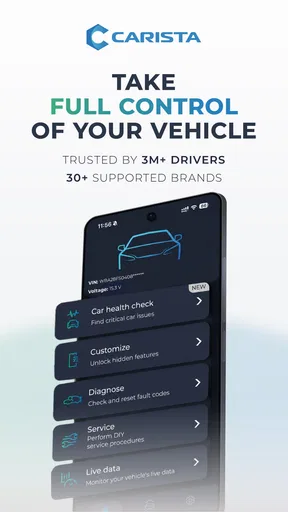
Our Review of Carista OBD2 Car Scanner
 Analysis by Appyee
I judge an OBD2 app less by how impressive its dashboard looks than by whether it helps me make a better next move: investigate a warning, explain a symptom to a mechanic, or decide that nothing needs attention right away. That is the practical promise of Carista OBD2. It is a free auto-and-vehicles app from Prizmos Ltd., and it brings diagnostics, vehicle customization, live data, and service functions together in one place. I find that combination appealing, but it works best when you treat it as a useful companion to your car, not a substitute for mechanical expertise.
Where the app fits today
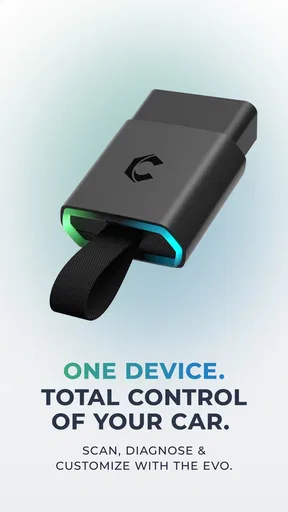
The core idea is straightforward: connect a compatible OBD2 adapter to the car, use the app to communicate with its onboard systems, then explore whichever functions are available for that vehicle. That can mean reading fault codes, keeping an eye on live readings, changing supported settings, or handling certain service tasks. The important qualification is “supported.” What you can see or change depends on the vehicle and the adapter, so I would check compatibility before buying hardware or planning around a particular feature.
The app has been around since 2013, and its current version is 9.7. That gives it a long-running presence in a category where phone software, adapters, and vehicle systems all have to work together. Its average rating is 3.7 from around 19,000 ratings, with more than 1 million installs. Those figures suggest a sizeable audience and mixed experiences, not a guarantee that every car will offer the same depth of access. It is free to download, rated for everyone, and offers in-app purchases ranging from $0.99 to $59.99 per item.
That purchase range matters because the free download should not be confused with every function being free to use. Before relying on customization or service tools, I would look at what access is offered for the functions you actually want and weigh that against the cost of an adapter. If you only need a one-off code check, paying for a broad set of extras may not make sense. If you expect to use the app repeatedly, the calculation may be different.
What its long life does—and does not—tell you
The release date and current version show that this is an established product with ongoing versioning, rather than a brand-new diagnostic tool. That is useful context for someone deciding whether to try it: the app has had time to become a known option, while its present feature set still needs to be judged on your own vehicle. A version number alone does not tell me which functions were added or changed over time, so I would not treat it as proof that a specific feature is newly available or improved.
For existing users, the sensible approach is to check the current app and confirm that their adapter still connects and that their usual vehicle functions remain available before planning a service task around them. If an update changes the interface, the more important test is whether the functions you depend on are easy to find and work as expected. I would keep notes of any settings changed on the car, too: that makes it easier to restore the previous state if a customization does not suit your daily driving.
Using diagnosis without mistaking it for a repair
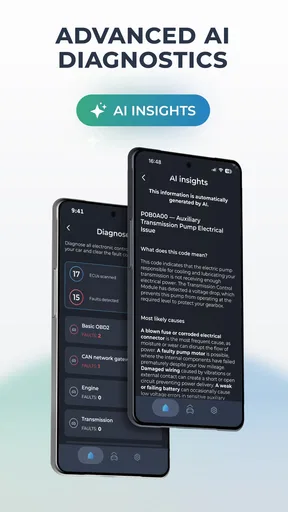
A fault code is a clue, not a complete diagnosis. It can narrow down the system or condition that needs attention, but it does not automatically identify the failed part or tell you how costly a repair will be. My preferred use is to read and record the code, note when the warning appeared and how the car behaved, then use that context to decide whether to seek professional help. That gives a mechanic something more concrete to discuss without encouraging me to replace parts based on a guess.
Clearing a warning deserves the same care. If the underlying issue has been fixed, clearing the light can be a useful final check. If the cause is still unknown, erasing the warning simply to make the dashboard look normal can hide information that would help with diagnosis. I would save the code and any relevant observations first, and I would not use a cleared light as proof that the vehicle is safe or repaired.
Live readings are most useful with a question in mind
Live data can feel more advanced than a simple code scan, but a screen full of changing values is not automatically helpful. I get more value from it when I begin with a specific question—for example, whether a reading changes when the engine warms up, or whether a symptom coincides with a noticeable change in a displayed value. Take readings under comparable conditions and avoid drawing conclusions from a single glance. The app can help you observe; interpreting those observations still takes judgment.
This is also where a phone-based tool differs from a basic code reader. A basic reader may be enough if all you want is to retrieve a fault code occasionally. Carista’s broader mix of live monitoring, customization, and service functions can be more useful for someone who expects to revisit the car’s systems over time. On the other hand, a professional scan tool or a qualified technician is the better choice when a fault is persistent, safety-related, or difficult to interpret. Convenience does not make a consumer app a workshop diagnostic system.
Customization calls for a careful, reversible approach
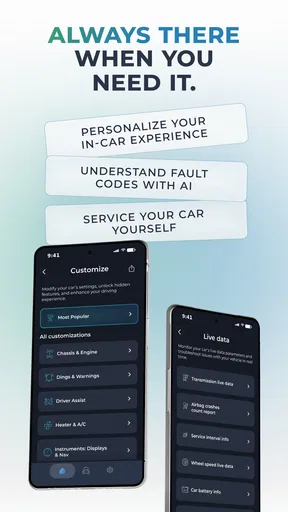
Changing vehicle settings can be satisfying, but I would treat each change like a small experiment. Before adjusting anything, write down the existing setting, change one item at a time, and test the result in a safe, ordinary situation. If the change is confusing or affects a feature you rely on, restore the original setting rather than stacking more changes on top. A familiar example is an alert or chime: disabling something that seems annoying may also remove a reminder you later miss.
Compatibility is particularly important here. A feature shown in the app’s general description may not be exposed on every make, model, or configuration. I would confirm that the exact vehicle supports the option before paying for access or assuming that a menu will appear. This makes the app a better fit for curious owners who enjoy learning their car’s settings than for someone who expects every customization to be universal and effortless.
A realistic ownership routine
Picture a check-engine light appearing on the way home. Once parked safely, I could connect the adapter, read the stored code, and note the symptoms and conditions rather than immediately clearing the warning. If the issue seems urgent or the car feels unsafe, I would stop driving and arrange proper assistance; the app is not a reason to keep going. If the car is behaving normally, the code and observations can help me have a more informed conversation with a repair shop. After the cause has been addressed, I could use the app to clear the warning if appropriate and confirm what happens next.
For routine ownership, a less dramatic workflow can be just as worthwhile: use service functions when they match a task you are already doing, and check live readings when there is a real question to investigate. I would avoid repeatedly scanning without a reason, because more information is not always more clarity. Keeping a simple record of dates, codes, symptoms, and actions makes each later scan easier to compare and reduces the temptation to treat one isolated reading as a diagnosis.
Who should choose it, and who should look elsewhere
I think the app is best suited to owners who want more insight than a warning light provides, are willing to check adapter and vehicle compatibility, and understand that fault codes need interpretation. It can also appeal to enthusiasts who like exploring supported settings and to practical drivers who would rather gather useful information before contacting a garage. Its combination of features is more compelling when you expect to use more than one part of the toolkit.
I would skip it if you want a guaranteed fix for a warning, are uncomfortable connecting hardware to the vehicle, or need a professional-grade answer for a complicated fault. If you only want an occasional code read, a simpler reader may be a more economical choice. If you are already dealing with a serious drivability or safety problem, a mechanic is the better option. The app’s 9.7 version and long history do not remove those limits; they simply make it an established tool to consider for suitable jobs.
What’s the Deal with Carista OBD2?
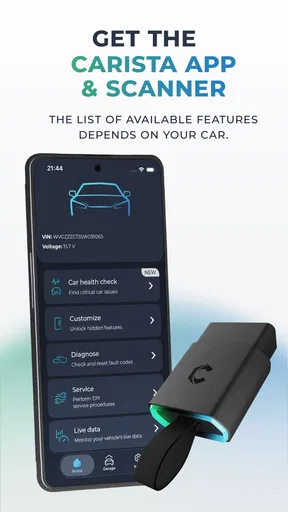
Alright, let’s dive into the nitty-gritty. The Carista OBD2 app is pretty much your go-to tool for diagnosing car issues, customizing features, and clearing those pesky check engine lights. Imagine having a mini mechanic right in your pocket. All you need is a compatible OBD2 adapter, and you’re good to go!
Getting Started
First things first, you need to download the app, which is available for both Android and iOS. Once that’s done, you’ll need to plug in your OBD2 adapter into your car's port. Don’t worry if you’ve never done this before; the app guides you through the whole process in a super user-friendly way.
After everything’s plugged in, the app connects to your car’s computer system. It’s like magic! Suddenly, you’ve got access to all sorts of data about your vehicle. Talk about feeling like a car whisperer.
Main Features
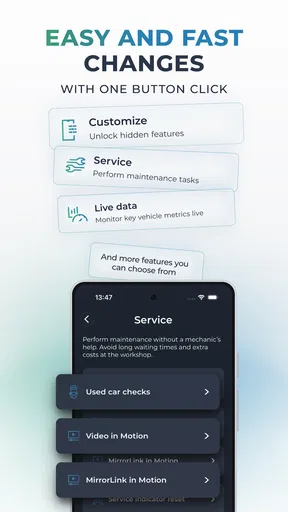
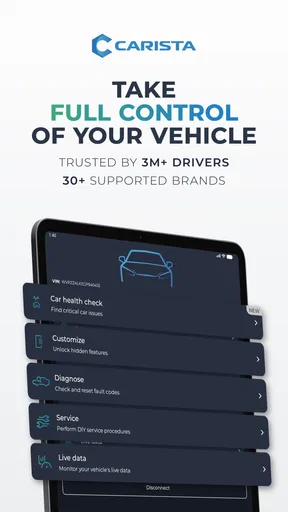
The app offers a bunch of features that are both practical and fun. Here’s a quick rundown:
- Diagnostics: This is where the app really shines. It scans your car for any issues and gives you a detailed report. No more guessing what that check engine light means!
- Customization: Want to tweak some settings? Maybe disable that annoying seatbelt warning chime? Carista lets you customize your car’s settings to your heart’s content.
- Service: Reset service indicators and perform simple maintenance tasks yourself, which can save you a trip to the mechanic.
User Experience
Let’s talk about how user-friendly the app is. The interface is clean and intuitive, which I really appreciate. I’m not exactly a tech wizard, so having an app that’s easy to navigate is a big deal for me. Plus, the app provides detailed explanations for each feature, so you’re never left in the dark.
One thing to note, though, is that while the app itself is free, some features require a subscription. It’s something to keep in mind, especially if you’re planning on using the app regularly.
Real-Life Application
Okay, so how did it hold up in real life? I ran a diagnostics test on my car, and it picked up a minor issue with my engine that I wouldn’t have known about otherwise. I was able to address it before it turned into a bigger problem, which saved me a lot of hassle—and money!
Also, being able to clear the check engine light after fixing the issue was a nice touch. It’s empowering to have that kind of control without having to run to the mechanic for every little thing.
Final Thoughts
Overall, I’m pretty impressed with the Carista OBD2 app. It’s like having a mechanic on-call, but without the hefty fees. Whether you’re a car enthusiast or just someone who wants to keep better tabs on their vehicle, this app is worth checking out.
So, if you’re curious about what’s going on under your car’s hood without diving into a repair manual or making endless trips to the auto shop, give Carista a spin. It might just change the way you think about car maintenance!
Verdict
Strengths of Carista OBD2 Car Scanner
- User-friendly interface for easy navigation.
- Compatibility with multiple car brands.
- Detailed diagnostic features available.
- Customizable settings for car enthusiasts.
- Regular software updates improve functionality.
Limitations of Carista OBD2 Car Scanner
- Premium features require a subscription.
- Limited free diagnostic capabilities.
- Some advanced features may be complex.
- Bluetooth connectivity can be finicky.
- May not support older car models.
Similar Picks in This Category
View All
Android Auto
Google LLC4.1

maxim — order a taxi & food
PT. SITO4.7

Штрафы ГИБДД: проверка с фото
Pays LLC – Штрафы ГИБДД4.7

Номерограм – проверка авто
Авто Ассист4.8

Дром Авто
Дром4.9

Frequently Asked Questions
What is Carista OBD2, and how does it work?
Carista OBD2 is a mobile application designed to connect with your car's onboard diagnostics system using an OBD2 adapter. It allows you to diagnose issues, customize settings, and perform routine maintenance checks directly from your smartphone. Simply plug in an OBD2 adapter, pair it with the app, and access your vehicle’s data.
Is Carista OBD2 compatible with my vehicle?
Carista OBD2 supports a wide range of vehicles, including many popular makes and models. However, compatibility may vary based on the specific features you wish to use. It’s recommended to check the Carista website or app for a detailed list of supported vehicles to ensure your car is compatible.
Do I need a specific OBD2 adapter for Carista?
While Carista can work with generic OBD2 adapters, it is optimized for use with the official Carista adapter for the best performance and feature access. Using the recommended adapter ensures compatibility and unlocks all the app’s capabilities, providing a seamless user experience.
What features does Carista OBD2 offer for customization?
Carista OBD2 offers a variety of customization options, including adjusting comfort settings, enabling hidden features, and customizing lighting settings. The availability of customization features depends on the make and model of your vehicle, allowing you to personalize your driving experience.
Is there a cost associated with using Carista OBD2?
Carista offers a free version with basic diagnostic capabilities, but to access advanced features such as customizations and manufacturer-specific diagnostics, a subscription is required. Pricing plans vary, and users can choose based on their needs. The official Carista adapter may also incur an additional cost.
